Natural AI voices
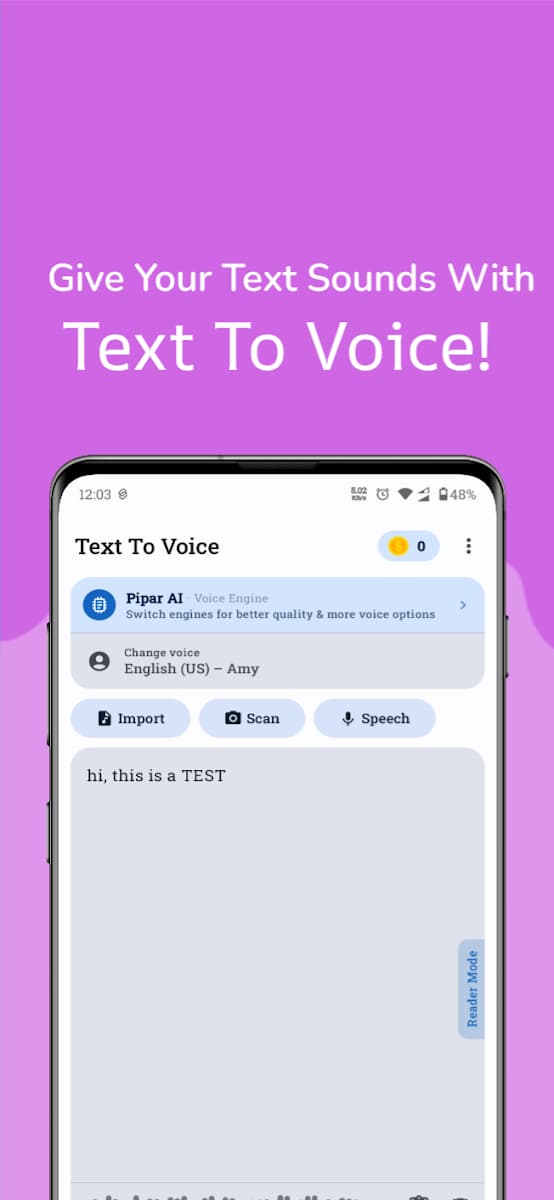
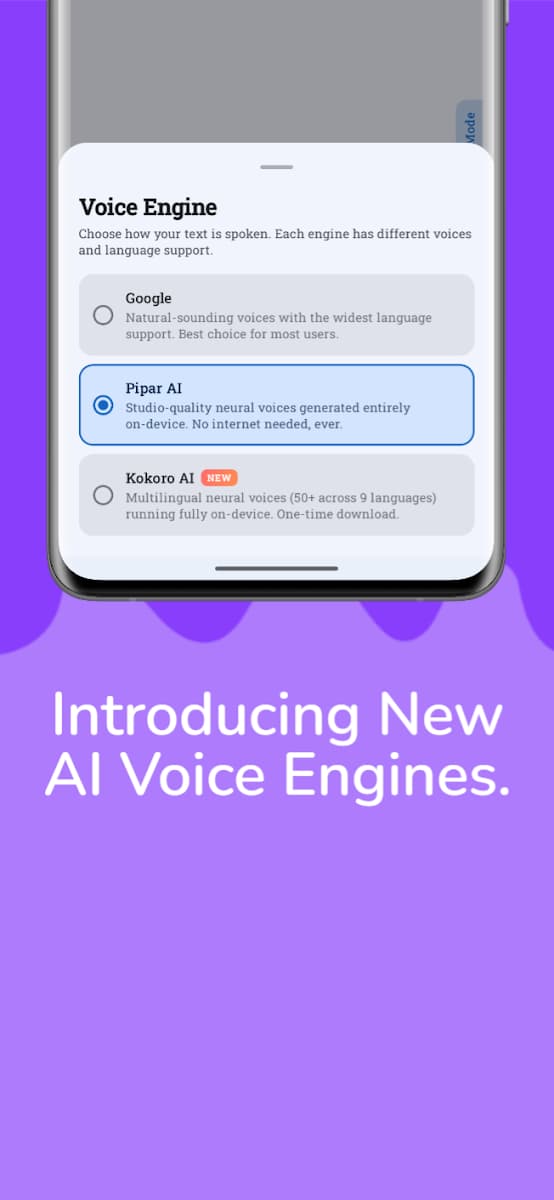
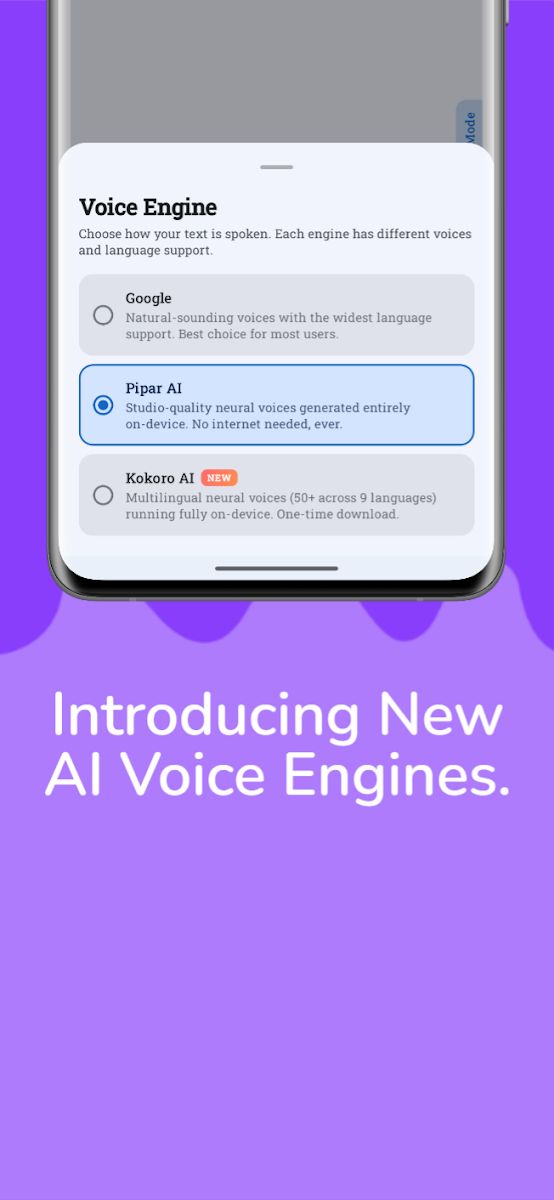
Pick from on-device neural voices that work offline, plus your phone's own text-to-speech voices. Preview a voice before you choose it.
 Text to Voice - Convert & Save
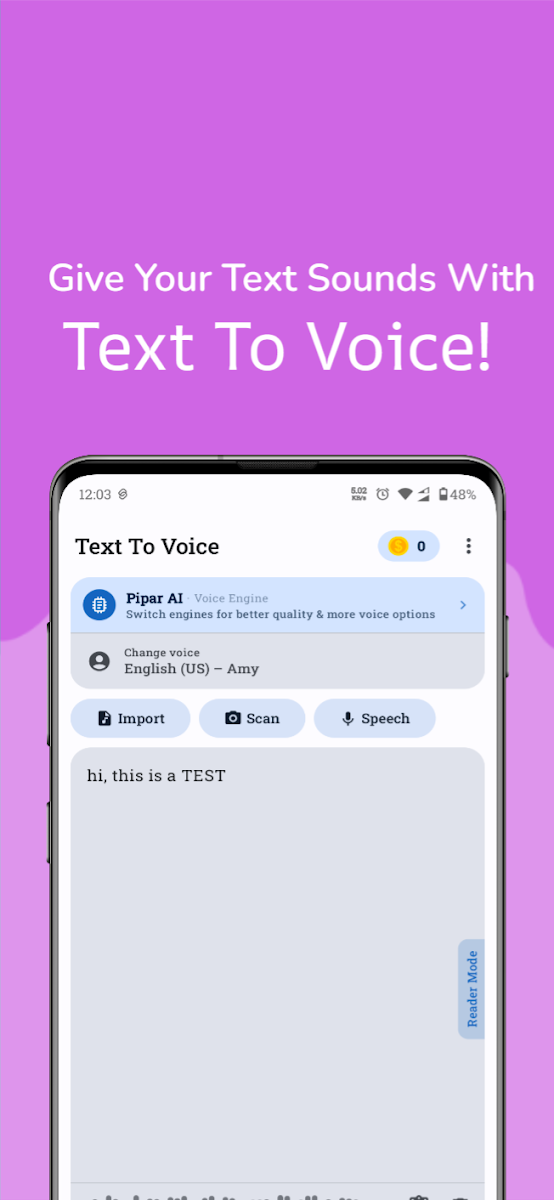
Type, paste, scan or import your text, listen to it, then save it as an audio file you can play, share or open in any audio app.
For Android · Free to download · Contains ads and in-app purchases
Downloads
100K+
Rating
4.1 ★
4.77K reviews
Price
Free
Android
6.0+
minimum version
Public figures from Google Play, last checked 2026-11-01. They change over time; the Play Store page always shows the latest.
Pick from on-device neural voices that work offline, plus your phone's own text-to-speech voices. Preview a voice before you choose it.
Type or paste text, import PDF, EPUB, DOC, DOCX, TXT or HTML files, scan a page with OCR, dictate with your microphone, or paste an article link.
Save your narration as an M4A or WAV file. Saving continues in the background, even if you close the app, and you get a notification when it's ready.
Build a script in sections, with a different voice, speed and pitch for each part. Add background music and export one merged file or separate clips.
See Text to Voice - Convert & Save in action.
The app is available in English, Arabic, Hindi, Indonesian, Portuguese, Spanish.
Yes. Reading, editing, importing and OCR scanning are free. The app contains ads. Pro removes ads and lets you save audio without spending coins.
The on-device neural voices work offline once they are downloaded. Some phone system voices may need an internet connection, depending on your device.
PDF, EPUB, DOC, DOCX, RTF, TXT and HTML files, plus text from photos through OCR and from web article links.
Email calyptasapps@gmail.com with your app version, phone model and what happened. Please don't send private documents.
Get it on your Android phone.
Get it on Google Play